CREATE. TRAIN. PROGRESS.

A clear path from plan to completed session.

Movenue keeps the workflow simple: build the routine with enough detail, follow it in a focused coach, and review what happened afterward.

01

CREATE

Turn an idea into a session.

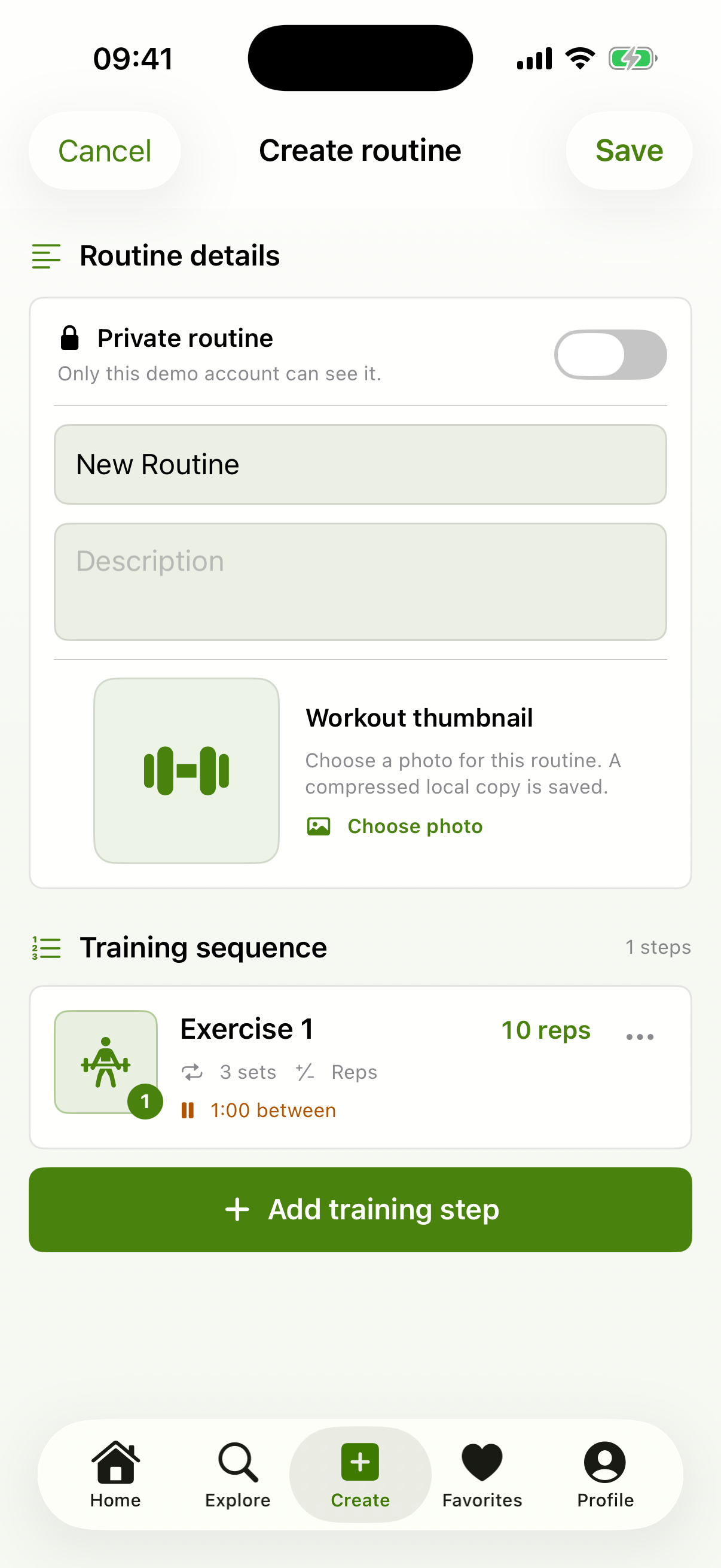
Name the routine, choose public or private visibility, and add each exercise in order. For every step, choose reps or time, set the number of sets, define recovery, and add notes or a photo.

  • Counter or timer steps
  • Open or fixed targets
  • Recovery between sets and after steps
  • Import and export supported routines
Movenue routine editor on iPhone
02

TRAIN

Follow the plan without losing your place.

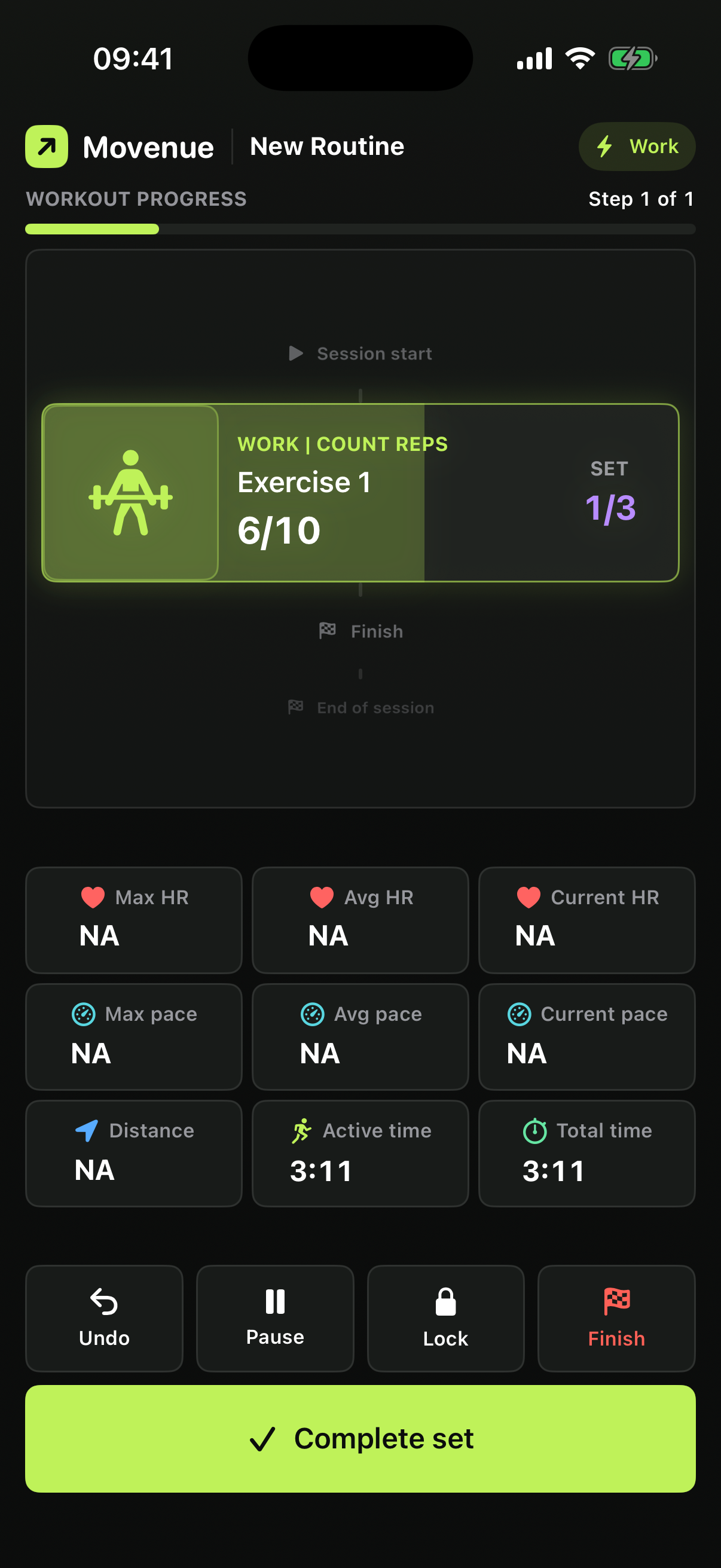
Start the routine and the focused coach takes over. Complete reps, let a timer run, move into recovery, pause, undo a mistaken action, or lock the controls against an accidental tap.

  • Focused full-screen state
  • Visible set and session progress
  • Audio cues when enabled
  • Live Activity on supported iPhones
Movenue active workout coach in dark appearance
03

PROGRESS

Keep the result and learn from the session.

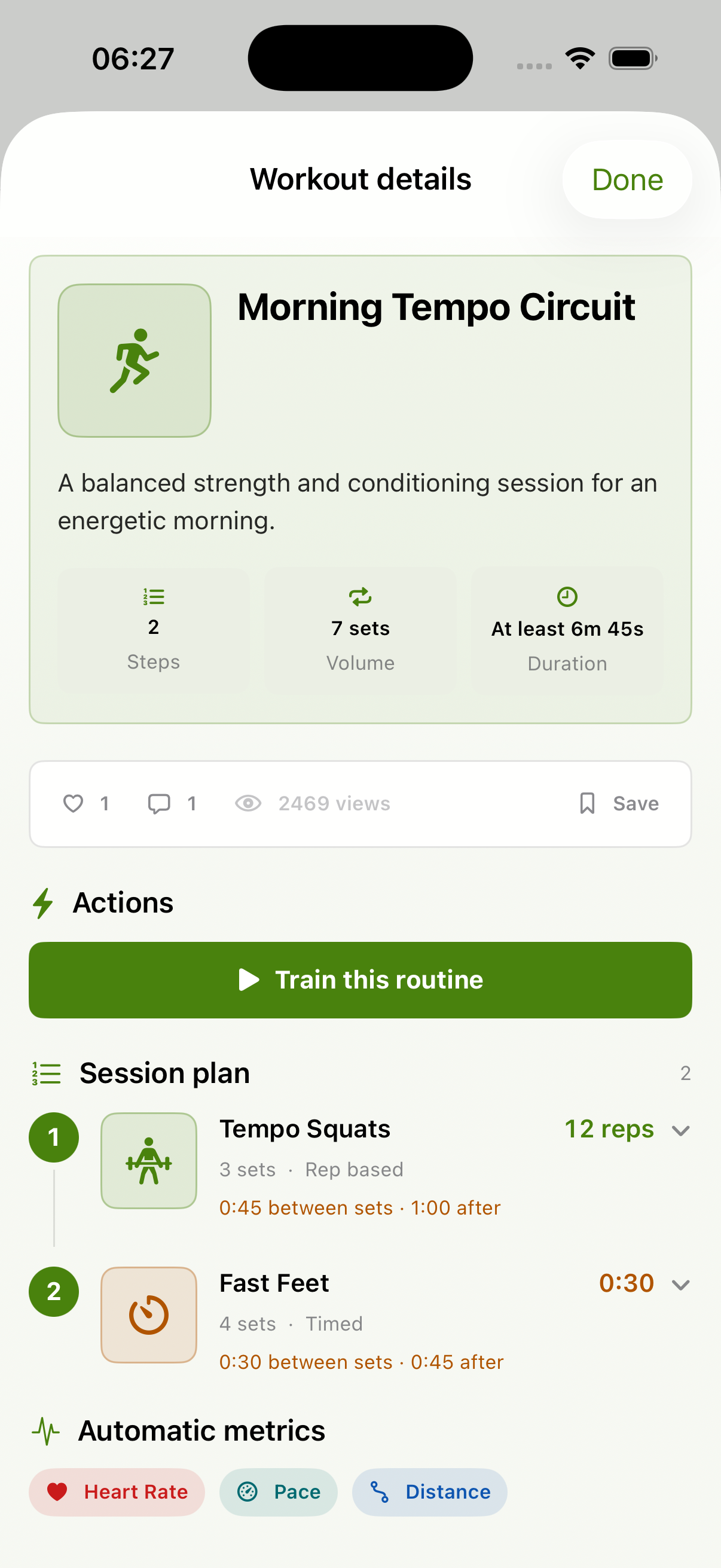
Finish the workout to save eligible session details. Review history, inspect available aggregates, filter completed sessions, delete a record you no longer want, or export raw captured samples.

  • Private workout history
  • Available time and metric summaries
  • Raw CSV export when samples exist
  • Direct history and account controls
Movenue routine detail and session plan

OPTIONAL COMMUNITY PATH

Designed to make training social—on your terms.

Depending on the production release, community tools can support public routines, follows, saves, comments, schedules, events, reporting, and blocking. Joining an event never turns on live metric sharing by itself.

Community and cloud behavior is release-dependent and will only be promoted as available after production acceptance.

READY WHEN YOU ARE

Your next session starts with a plan.

Movenue is coming soon to the App Store. Explore the guide now, or contact us if you need help.